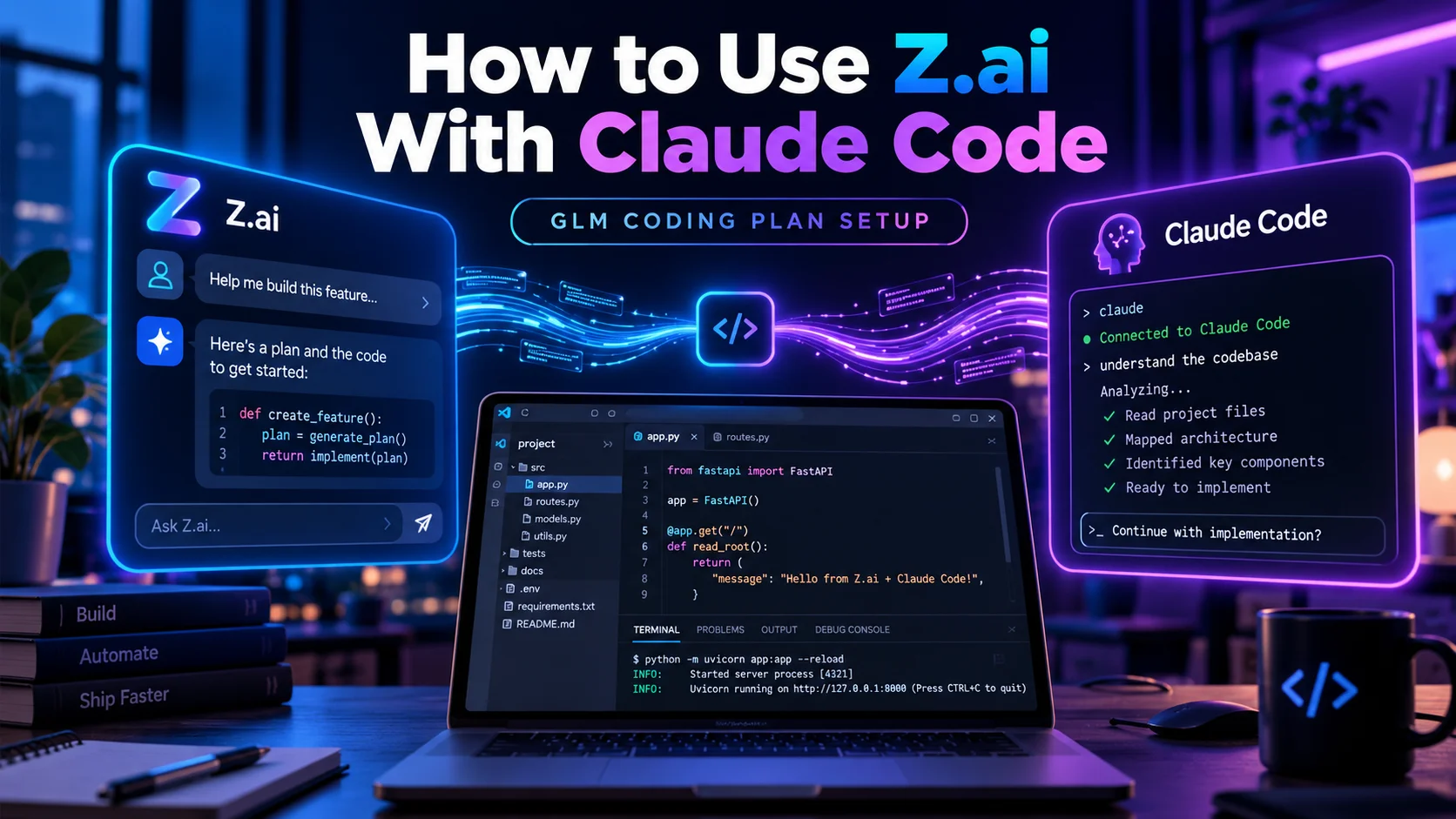
How to Use Z.ai With Claude Code: GLM Coding Plan Setup
Z.ai officially supports Claude Code as a GLM Coding Plan tool, which means you can use the Claude Code interface while routing model requests to GLM-5.3 or GLM-5.3-Flash through Z.ai’s Anthropic-compatible endpoint.
The setup is not difficult, but there are a few details that matter in 2026: Claude Code and Goose use a different Z.ai endpoint from most other supported tools, GLM Coding Plan usage now runs on credits rather than old prompt counts, and the current model names are GLM-5.3 and GLM-5.3-Flash.
Quick Answer
To use Z.ai with Claude Code, subscribe to a GLM Coding Plan, create a Z.ai API key, install Claude Code, then configure Claude Code to use Z.ai’s Anthropic endpoint. The easiest method is Z.ai’s Coding Tool Helper. You can also use Z.ai’s setup script on macOS/Linux or edit Claude Code’s settings.json manually.
What You Need Before Starting
- An active Z.ai GLM Coding Plan
- A Z.ai Coding Plan API key
- Claude Code installed on your computer
- Node.js 18 or newer if you use the npm-based installation
- Git for Windows if you are setting up Claude Code on Windows
Z.ai currently offers Lite, Pro and Max Coding Plan tiers. If you have not chosen a plan yet, our Z.ai Coding Plan Lite vs Pro vs Max guide explains the current prices, five-hour limits, weekly credits and off-peak rules.
How Z.ai Works With Claude Code
Claude Code is the coding-agent interface. Z.ai provides the model backend through an Anthropic-compatible API endpoint.
| Part | Role |
|---|---|
| Claude Code | Terminal coding agent and development interface |
| Z.ai GLM Coding Plan | Provides subscription quota for supported GLM models |
| Z.ai API key | Authenticates your Coding Plan usage |
| Anthropic-compatible endpoint | Routes Claude Code requests to Z.ai |
| GLM-5.3 / GLM-5.3-Flash | Models that answer the requests |
Z.ai’s official Claude Code integration guide currently documents three configuration methods: Coding Tool Helper, an automated setup script, and manual configuration.
Step 1: Install Claude Code
If Claude Code is not already installed, Z.ai documents the npm installation method:
npm install -g @anthropic-ai/claude-codeThen open your project directory and start Claude Code:
cd your-project-directory
claude
Anthropic also provides its own current installation instructions in the official Claude Code getting-started guide. Z.ai recommends Node.js 18 or newer for its documented npm method. On macOS, Z.ai recommends installing Node through nvm if you encounter permissions problems, while Windows users may also need Git for Windows.
Step 2: Subscribe to the GLM Coding Plan
You need Coding Plan quota if you want Claude Code requests to use the subscription rather than a normal pay-as-you-go workflow.
The current individual plans are Lite, Pro and Max. All three support GLM-5.3 and GLM-5.3-Flash, and all supported coding tools share the same plan quota.
| Plan | Standard monthly price | 5-hour credits | Weekly credits |
|---|---|---|---|
| Lite | $18 | 2,000 | 10,000 |
| Pro | $80 | 12,000 | 60,000 |
| Max | $168 | 28,000 | 140,000 |
These limits are credits, not fixed prompt counts. Z.ai moved new plans to credit-based usage on July 30, 2026, so older guides that describe the plan mainly as a certain number of prompts per five hours are outdated.
Step 3: Create Your Z.ai API Key
After subscribing, create your Coding Plan API key from your Z.ai plan dashboard. Individual and Team Plan keys are handled separately, and Z.ai states that a Team Plan key is not interchangeable with other Z.ai API keys.
Keep the key private. Do not paste it into public repositories, screenshots or shared configuration files.
Method 1: Use Z.ai Coding Tool Helper
This is the easiest method for most users because Z.ai’s helper can install supported tools, load your Coding Plan configuration and manage MCP services from one wizard.
Run:
npx @z_ai/coding-helperThe helper requires Node.js 18 or newer. Follow the prompts to choose your interface language, select the Coding Plan, enter your API key, choose Claude Code and load the plan into the tool.
Z.ai also provides a diagnostic command if the setup does not work:
coding-helper doctorFor many users, this method is preferable because it reduces the risk of putting the wrong endpoint or environment variable into the Claude Code configuration.
Method 2: Use the Z.ai Setup Script on macOS or Linux
Z.ai also provides an automated shell script for macOS and Linux:
curl -O "https://cdn.bigmodel.cn/install/claude_code_zai_env.sh" && bash ./claude_code_zai_env.shThis method does not support Windows. The script updates ~/.claude/settings.json with the Z.ai authentication token, Anthropic-compatible base URL and an extended timeout.
Because this command downloads and executes a script, review the source or use the Coding Tool Helper/manual method if you prefer not to run remote setup scripts directly.
Method 3: Configure Claude Code Manually
Manual configuration gives you the most control and is also useful when troubleshooting an existing setup.
Claude Code’s user-level settings file is normally:
- macOS/Linux/WSL:
~/.claude/settings.json - Windows:
%USERPROFILE%\.claude\settings.json
A current Z.ai manual configuration can look like this:
{
  "env": {
    "ANTHROPIC_AUTH_TOKEN": "your_zai_api_key",
    "ANTHROPIC_BASE_URL": "https://api.z.ai/api/anthropic",
    "ANTHROPIC_DEFAULT_HAIKU_MODEL": "glm-5.3-flash[1m]",
    "ANTHROPIC_DEFAULT_SONNET_MODEL": "glm-5.3[1m]",
    "ANTHROPIC_DEFAULT_OPUS_MODEL": "glm-5.3[1m]",
    "CLAUDE_CODE_AUTO_COMPACT_WINDOW": "1000000",
    "CLAUDE_CODE_DISABLE_NONESSENTIAL_TRAFFIC": 1,
    "API_TIMEOUT_MS": "3000000"
  }
}
Replace your_zai_api_key with your own key. If your settings.json already contains other configuration, add or update the required fields rather than blindly replacing the entire file.
Why Claude Code Uses a Different Z.ai Endpoint
The GLM Coding Plan supports both Anthropic-compatible and OpenAI-compatible protocols. Claude Code uses the Anthropic-compatible endpoint:
https://api.z.ai/api/anthropicMost OpenAI-compatible coding tools instead use:
https://api.z.ai/api/coding/paas/v4This distinction matters. Z.ai warns that using the wrong endpoint can prevent your Coding Plan quota from being recognized.
Which GLM Model Should You Use in Claude Code?
All current Coding Plan tiers support GLM-5.3 and GLM-5.3-Flash.
| Model | Best fit | Plan usage |
|---|---|---|
| GLM-5.3 | Flagship coding and reasoning work | Higher credit multipliers |
| GLM-5.3-Flash | Faster/lower-cost work plus multimodal input | Lower credit multipliers |
GLM-5.3-Flash can be especially useful when you want more effective plan quota or multimodal capabilities. Our GLM-5.3-Flash guide covers its pricing, multimodal support and differences from GLM-5.3.
How to Enable the 1 Million Token Context
Z.ai’s current Claude Code configuration supports a 1 million-token context by adding the [1m] suffix to the model name and setting the auto-compact window to 1,000,000.
"ANTHROPIC_DEFAULT_SONNET_MODEL": "glm-5.3[1m]",
"CLAUDE_CODE_AUTO_COMPACT_WINDOW": "1000000"
If Claude Code reports that a model with the [1m] suffix does not exist, Z.ai recommends updating Claude Code to the latest version and trying again.
How to Change Thinking Effort
Z.ai maps Claude Code’s effort controls to GLM reasoning levels. The available effective levels are Low, High and Max, and Z.ai currently recommends Max for coding tasks that benefit from deeper reasoning.
Inside Claude Code, use:
/effortTurning thinking off does not fully disable GLM reasoning. Z.ai maps disabled or off-style values to the Low level.
How to Verify That Claude Code Is Actually Using GLM
After configuration, close existing Claude Code windows, open a fresh terminal and start Claude Code again:
claudeThen run:
/statusConfirm that Claude Code is reading the expected settings.json file and that the model shows GLM-5.3, GLM-5.3-Flash or the corresponding [1m] model.
How Coding Plan Usage Is Counted in Claude Code
Claude Code shares the same GLM Coding Plan quota as your other supported tools. Each individual plan has both a rolling five-hour credit limit and a weekly credit limit.
Credits are based on model token usage and model-specific multipliers. GLM-5.3-Flash has lower multipliers than GLM-5.3, so it can stretch the same subscription quota further.
During normal off-peak hours, model usage is charged at 50% of the standard credit rate. Z.ai defines its regular peak window as Monday through Friday from 14:00 to 18:00 Singapore Standard Time (UTC+8). Temporary promotions can modify those rules, so check the current plan page rather than relying on an old screenshot.
Fixing Error 1113: Insufficient Balance
If you have an active Coding Plan but Claude Code shows error 1113 Insufficient Balance, Z.ai lists three important checks.
- Make sure you are using an officially supported tool.
- For Claude Code, verify that
ANTHROPIC_BASE_URLis set tohttps://api.z.ai/api/anthropic. - Use a model supported by the current Coding Plan: GLM-5.3 or GLM-5.3-Flash.
The wrong endpoint is a particularly easy mistake because many other coding agents use Z.ai’s OpenAI-compatible Coding Plan endpoint instead.
Manual Configuration Is Not Taking Effect
If you edited settings.json but Claude Code still uses the previous configuration:
- Close all Claude Code windows.
- Open a new terminal and start Claude Code again.
- Check that the JSON syntax is valid.
- Confirm that you edited the settings file used by the Claude Code installation you actually launch.
- If Windows, WSL and Git Bash are installed together, be especially careful because they can use different home directories.
Z.ai also suggests recreating the settings file if the existing manual configuration continues to fail.
Should You Use GLM-5.3 or GLM-5.3-Flash?
There is no single model choice for every coding task. GLM-5.3 is the flagship option for coding and reasoning. GLM-5.3-Flash has lower plan multipliers and adds native multimodal input, making it useful for screenshots, visual work and higher-volume tasks.
A practical setup is to map Sonnet and Opus slots to GLM-5.3 while keeping the Haiku slot on GLM-5.3-Flash, which is also reflected in Z.ai’s current manual configuration example.
Is Claude Code Included With the Z.ai Coding Plan?
The GLM Coding Plan provides quota for using GLM models in supported coding tools, and Claude Code is on Z.ai’s official supported-tools list. The Claude Code software itself is maintained by Anthropic; the Z.ai subscription changes the model backend and quota used for requests.
Z.ai Claude Code Setup vs ZCode
Z.ai also has its own development environment called ZCode. The two workflows are different.
| Claude Code + Z.ai | ZCode |
|---|---|
| Uses Anthropic’s Claude Code interface | Uses Z.ai’s own development environment |
| Connects through Z.ai’s Anthropic-compatible endpoint | GLM integration is built into ZCode |
| Configuration required | More integrated Z.ai experience |
| Good for existing Claude Code workflows | Good for users wanting ZCode-specific features |
If you are deciding between them, our What Is ZCode? guide explains ZCode’s Goal Mode, browser control, subagents, remote development and other features.
Frequently Asked Questions
Can I use Z.ai GLM models in Claude Code?
Yes. Z.ai officially lists Claude Code as a supported GLM Coding Plan tool and provides an Anthropic-compatible endpoint specifically for Claude Code and Goose.
What Z.ai endpoint should I use for Claude Code?
Use https://api.z.ai/api/anthropic. Using the wrong endpoint can prevent Claude Code from consuming your GLM Coding Plan quota correctly.
Which GLM models work with Claude Code on the Coding Plan?
The current GLM Coding Plan supports GLM-5.3 and GLM-5.3-Flash. Older GLM-5.2 and GLM-5.1 requests are automatically routed to GLM-5.3, while GLM-4.7 requests route to GLM-5.3-Flash.
How do I set up Z.ai in Claude Code?
The easiest method is Z.ai’s Coding Tool Helper. Z.ai also provides an automated script for macOS/Linux and a manual settings.json configuration method for macOS, Linux and Windows.
Can Claude Code use the 1M GLM context window?
Yes. Z.ai documents the [1m] model suffix together with CLAUDE_CODE_AUTO_COMPACT_WINDOW set to 1000000. If the model is not recognized, update Claude Code and retry.
Why does Claude Code show Z.ai error 1113 Insufficient Balance?
Common causes include using an unsupported tool, using the wrong Z.ai base URL, or selecting a model that is not supported by the current GLM Coding Plan.
Final Thoughts
Using Z.ai with Claude Code is now a documented, officially supported GLM Coding Plan workflow. The simplest route is the Coding Tool Helper, while manual configuration gives experienced users more control over the endpoint, model mapping, context size and effort settings.
The two details most likely to cause problems are the endpoint and outdated model information. Claude Code should use Z.ai’s Anthropic-compatible endpoint, and current setups should target GLM-5.3 or GLM-5.3-Flash rather than copying older GLM-5.2 configurations from outdated guides.
If you are new to the platform itself, start with our What Is Z.ai? guide for the broader relationship between Z.ai, GLM models, ZCode, APIs and the Coding Plan.